
Know Before
You Tap.
SafeScan Wallet Pro checks every URL you scan against Google's threat database — in real time, with your identity protected.
No ads. No trackers. Your data stays on your device.
The world is full of codes.
Scanning them shouldn't mean losing them.
Ephemeral by default
Built-in camera scanning is a dead end. Close the tab, lose the result. Generic scanner apps forget everything the moment you quit them.
600 screenshots, zero clarity
You feel disorganized and frustrated. That restaurant menu you scanned last week? Somewhere in a camera roll. The Wi-Fi password from your router? Gone.
Your data isn't yours
Ad-supported scanner apps treat your scan history as inventory. Every URL you scan is logged and used to profile you. That shouldn't be the price of a utility app.
Your organized vault for every code you scan
We believe a scan should be a permanent memory, not a fleeting moment. SafeScan Wallet is built for people who want their digital life organized — privately.
Smart titling
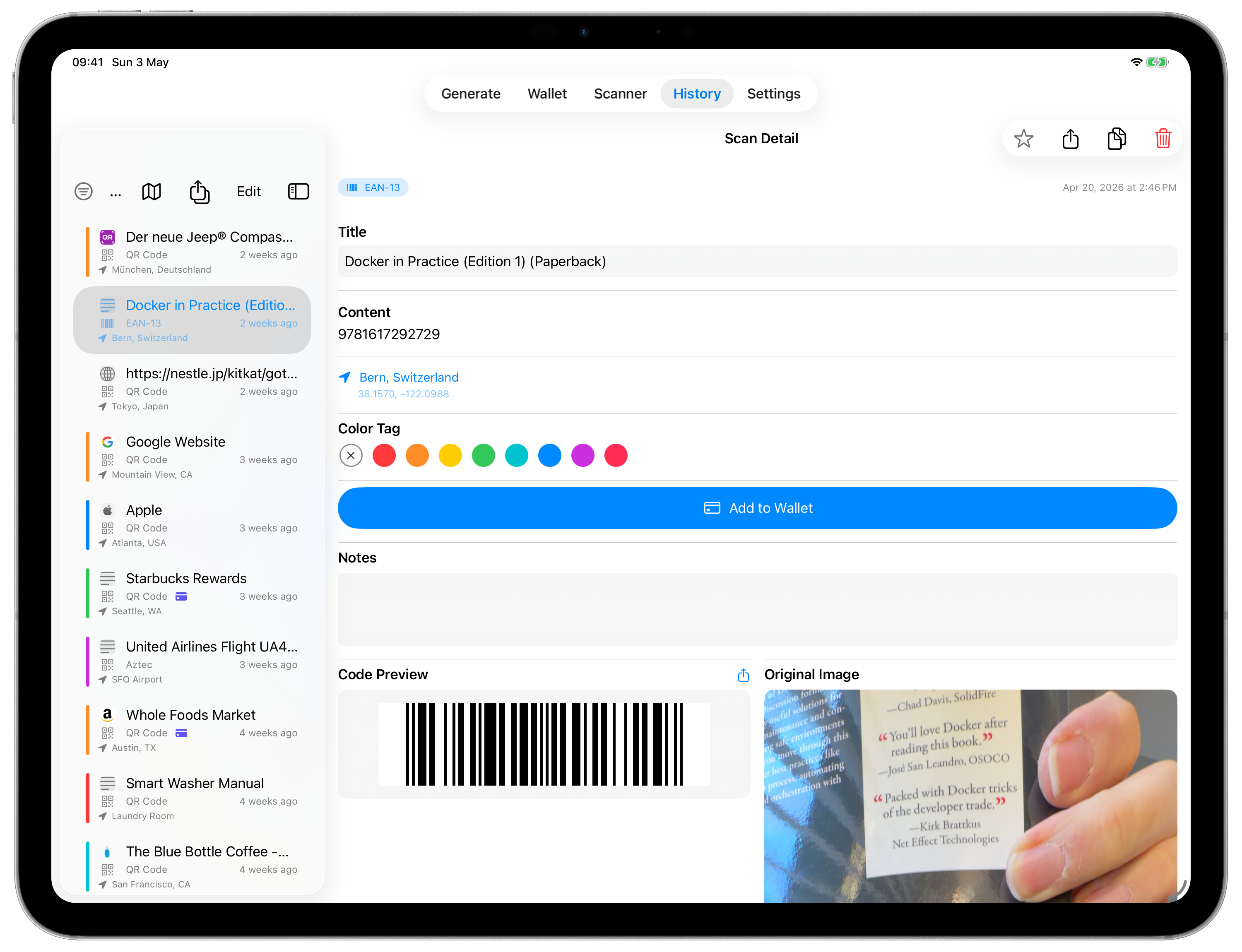
No more "Untitled Link." The app automatically fetches website titles and favicons in the background, turning a raw URL into a recognizable entry like "Joe's Pizza — Menu" without you lifting a finger.
Smart detection
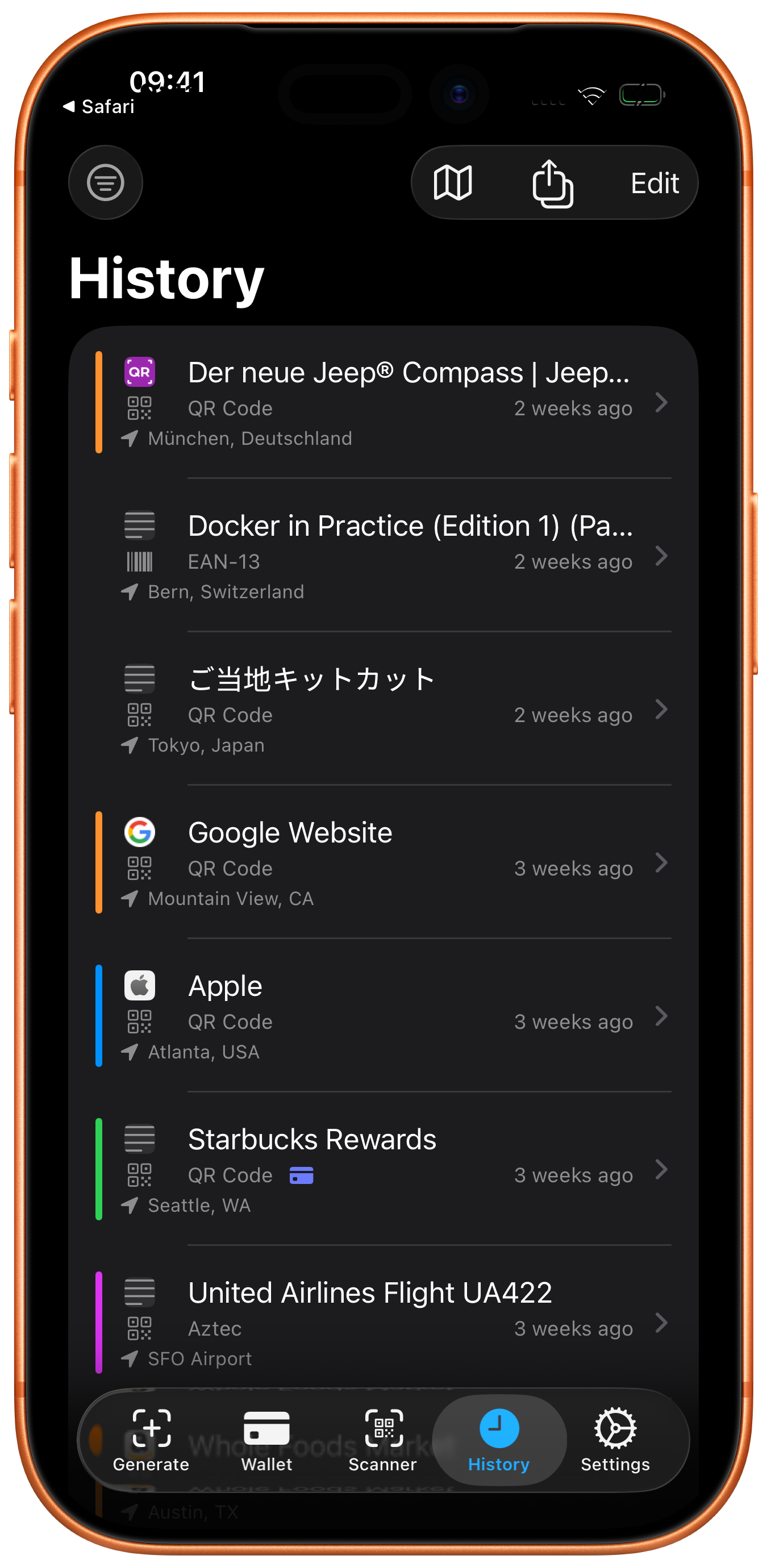
Instantly identifies URLs, Wi-Fi credentials, contacts, QR codes, Aztec, EAN-13, and more — automatically labelled and categorized on every scan.
Private on-device history
Every scan is saved locally with a title, timestamp, and visual preview. Your vault lives on your device — no cloud required, no sign-in needed.
Private by design
Built natively with Swift for iOS, iPadOS, and macOS. Zero ads, zero trackers, zero third-party data collection. Full stop.
Ultra-responsive camera
Near-instant scanner startup. The camera initializes in the background, persists across scans, and uses the iOS 26 Deferred Start API — with automatic thermal monitoring to keep your device cool.
Siri & Spotlight
Say "Scan a code with Code Scanner" or find any past scan directly from iOS Spotlight — powered by on-device semantic indexing and Apple Intelligence.
Wi-Fi, contacts & loyalty cards
Directly connect to Wi-Fi networks, import vCard contacts, and reshare loyalty cards in seconds. Act on any code type — all without leaving the app.
Full data export
Export your complete scan history to CSV, JSON, or ZIP at any time. Your data belongs to you — take it wherever you go.
Three steps to owning your scan history
Scan and Forget
Point your camera at any code. SafeScan Wallet uses on-device ML to identify it instantly — whether it's a URL, a Wi-Fi credential, a loyalty card, or a barcode — and saves it automatically.
Automatic Organization
The app works in the background to fetch titles and favicons. Your "anonymous" QR code becomes a recognizable entry — "Joe's Pizza — Menu" — without you lifting a finger.
Recall in Seconds
Search your private vault by title, date, or category. Present loyalty codes at checkout, share Wi-Fi credentials instantly, or pull up that link from last month — in one tap.
Meet the organized digital navigator
When every scan is named, organized, and private, everyday moments become effortless.
The Organized Diner. You scan a menu on Monday. By Friday the app has already titled it "Joe's Pizza — Menu." Your friend asks where you went — you find it in one tap. No scrolling, no guessing.
The Mobile Native. Receives an email with a "Scan for Discount" QR code. Instead of searching for another phone, they screenshot it, import it into SafeScan, and claim the deal in seconds.
The Minimalist Shopper. Every loyalty card lives in your vault as a scannable barcode. At checkout you open SafeScan Wallet instead of fumbling through a physical wallet — and you never miss a perk.
The Cautious Scanner. You scan a QR code on a flyer in a busy airport. SafeScan instantly checks the URL against Google's threat database — flagged as suspicious, the Open button is disabled automatically. You never visit the site. No drama. No risk.
The Wallet-Ready Traveller. You scan a boarding pass barcode at the gate. One tap saves it as a custom Apple Wallet pass — with your chosen colour and title. Your phone is your wallet, your passport, and your vault.
The Hands-Free Commuter. Driving through a car park, you say "Show last scan with Code Scanner" to Siri. Your most recent code appears instantly — no unlocking, no tapping. Pure hands-free utility.
Every scan disappears
The cost of doing nothing is real. Here's what life looks like without SafeScan Wallet.
-
You're scrolling through 1,000 photos trying to find a Wi-Fi password you definitely saved somewhere. Maybe it was a screenshot, maybe a note — you can't remember.
-
You forgot your own Wi-Fi password because the one time you scanned it from the router label, the result disappeared when you closed the app.
-
A cluttered, ad-supported scanner app is logging every URL you scan to serve you targeted ads. Your scan history has become someone else's inventory.
Every Link. Checked Before You Open It.
QR codes are everywhere — restaurant tables, event flyers, product packaging, public spaces. Most are harmless. Some aren't. The problem is, you can't tell by looking.
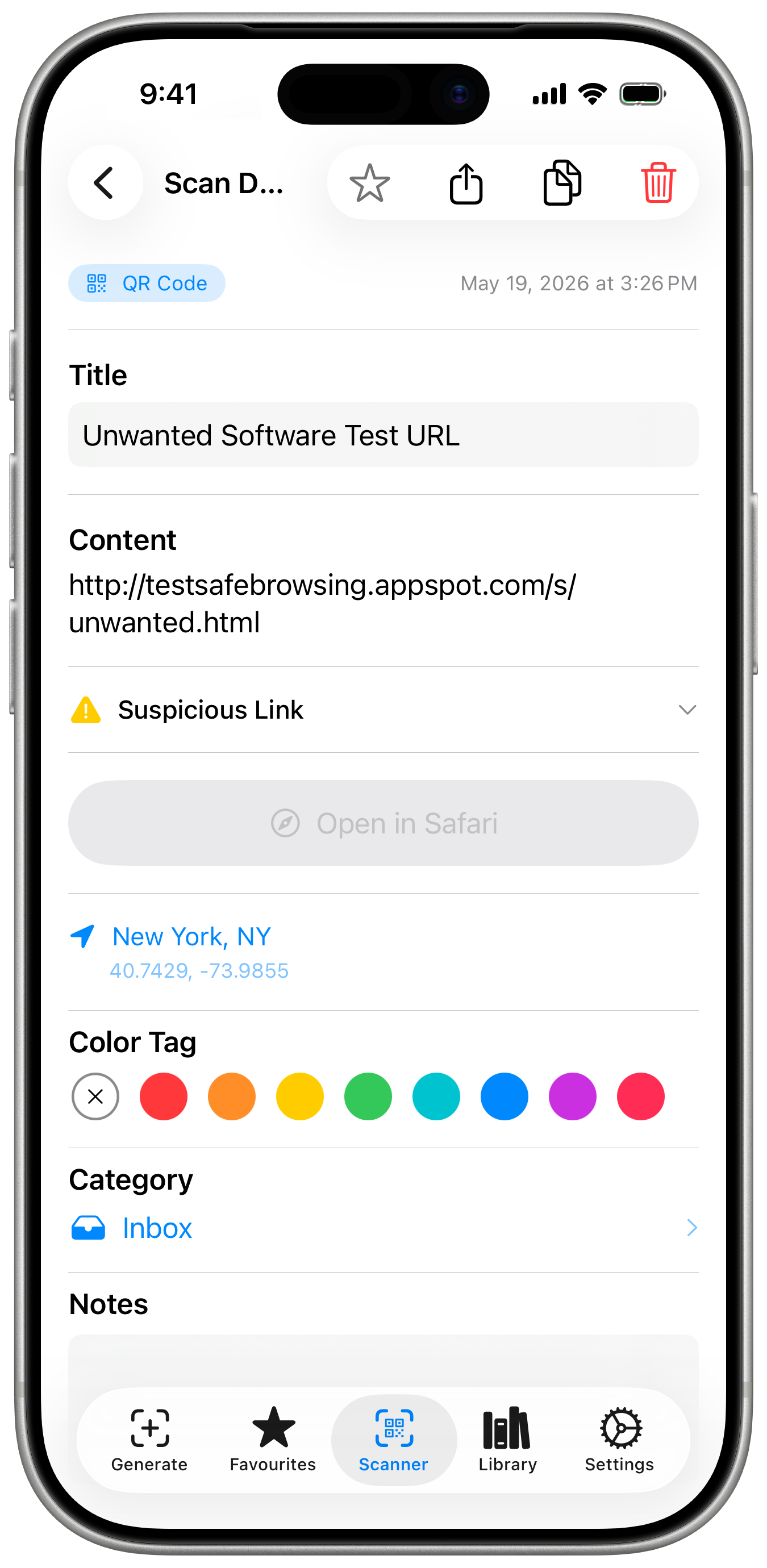
SafeScan Wallet Pro checks every URL you scan against Google's threat database the moment it's detected. Malware, phishing sites, and unwanted software are flagged before you tap Open. If a link is dangerous, the Open button is disabled automatically — no accidental visits.
Your identity stays protected throughout. Scanned URLs are routed through a privacy proxy, not sent directly to Google. Google receives the URL to check it; it never receives anything that identifies you or your device. No account. No tracking.
- Real-time threat detection — powered by Google Web Risk
- Three clear risk levels: Safe, Suspicious, Dangerous
- Dangerous links blocked — Open button disabled automatically
- Privacy proxy — your identity is never exposed to Google
- Smart enrichment waits — page titles and favicons only load after a link is confirmed safe
Your Library, Your Way.
The free tier gives you a full, searchable scan history. Basic unlocks the tools to organise it the way you actually think.
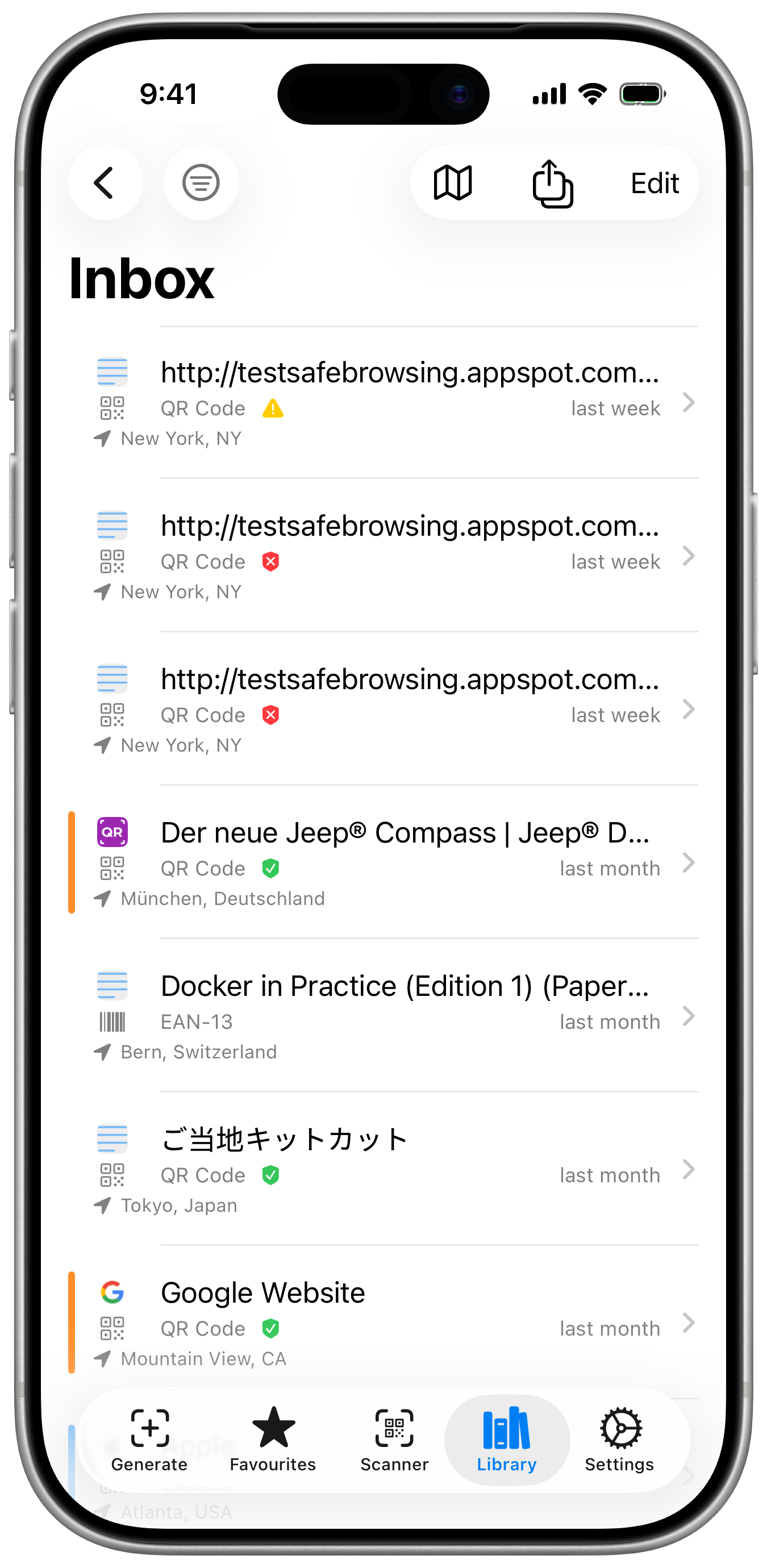
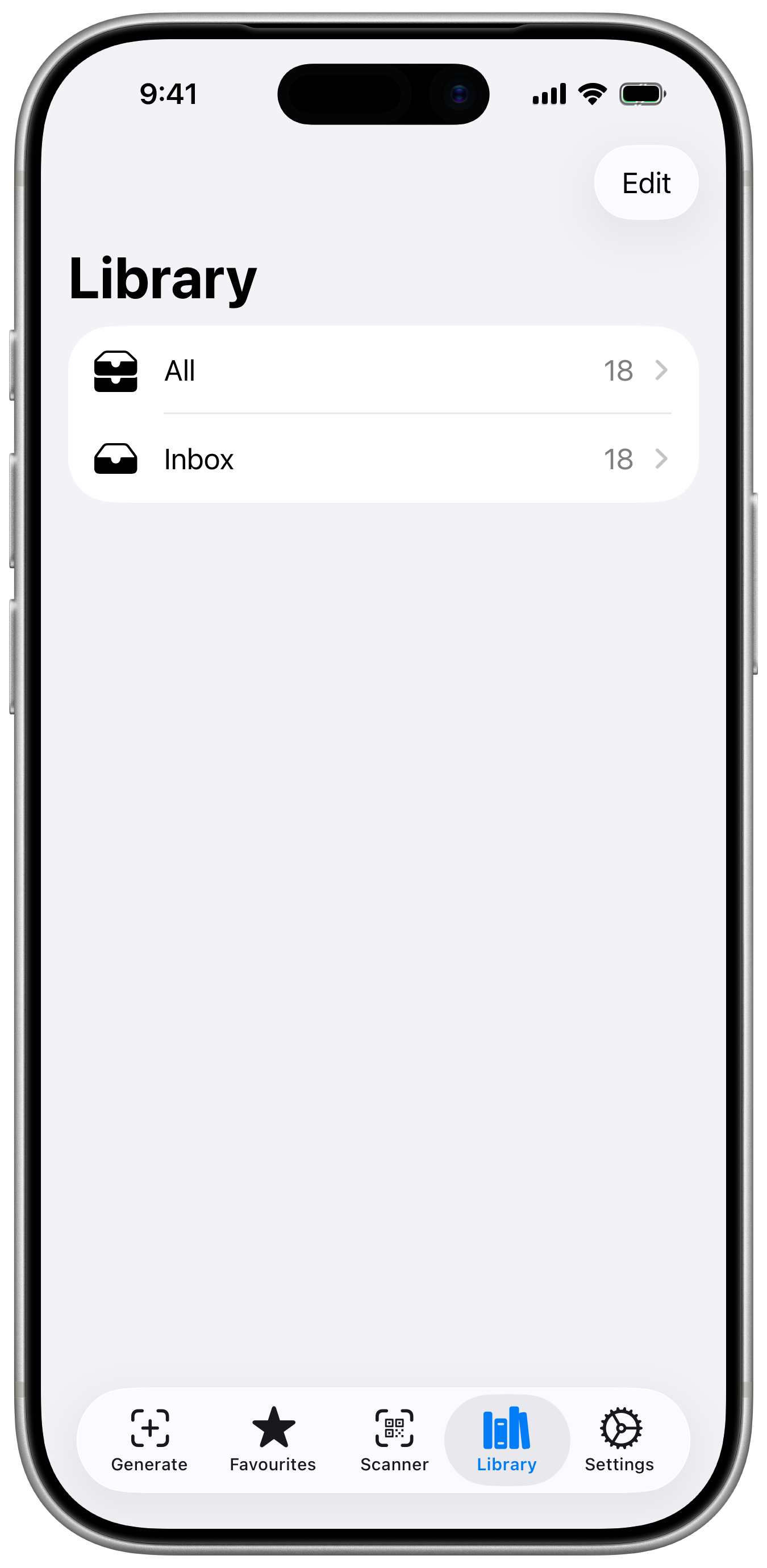
Create custom categories — Work, Travel, Shopping, Receipts — and sort scans into folders with a swipe. Navigate with a mail-style sidebar. A permanent Favourites smart folder auto-aggregates your starred scans. Customise folders with your own icons.
- Custom categories — create and name folders however you want
- Swipe to assign — move scans between categories without leaving the list
- Permanent Favourites smart folder — auto-aggregates starred scans
- Custom category icons — style your folder list your way
- Mail-style navigation — sidebar with live folder counts
- Safe deletion — removing a category keeps all its scans in Inbox
Your Scans, in Apple Wallet.
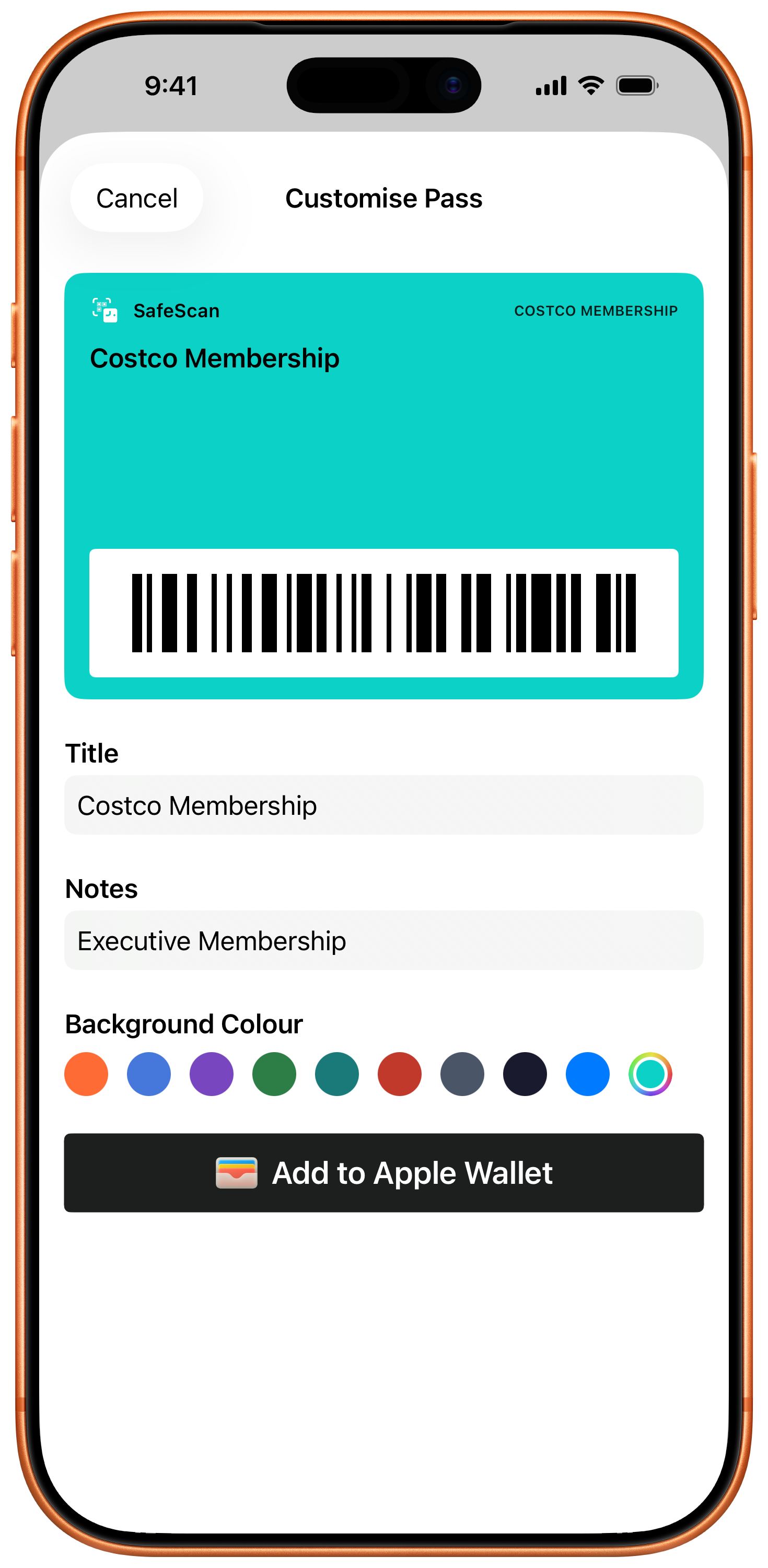
Save any scanned QR code, barcode, Aztec, or PDF417 code directly to Apple Wallet as a custom pass. Pick a colour, set a title, and watch the live preview update before you save.
iOS 27 users get native wallet rendering for EAN-13, Code 39, Codabar, and ITF-14 barcodes. On iOS 26, a smart compatibility layer lets you convert EAN-13 codes to QR or Code 128 passes automatically — so nothing is left behind.
- Export QR codes, barcodes, Aztec & PDF417 to Apple Wallet
- Customise pass colour and title with a live in-app preview
- iOS 27: native EAN-13, Code 39, Codabar & ITF-14 rendering
- iOS 26 fallback: convert EAN-13 to QR or Code 128 automatically
- One-time Basic purchase — no subscription needed
Siri, Shortcuts & Spotlight.
SafeScan Wallet is now fully woven into the iOS system. Use Siri voice commands to scan a code hands-free, or ask it to "show your last scan" — all without unlocking your phone.
Search your entire scan history directly from iOS Spotlight — powered by secure, on-device semantic indexing and Apple Intelligence. Build powerful multi-step automation workflows in the Shortcuts app using your scan data as triggers and inputs.
- Siri voice commands — "Scan a code with Code Scanner"
- "Show last scan" — retrieve recent codes without opening the app
- Spotlight search — find any past scan from the iOS system search
- On-device semantic indexing — private, Apple Intelligence powered
- Shortcuts app integration — build custom automated workflows
Free forever. Unlock more when you need it.
Every core feature is free. Basic unlocks local power features with a one-time purchase. Pro adds cloud-powered safety on a subscription.
| Feature | Free | Basic | Pro |
|---|---|---|---|
| Scan QR codes, barcodes, Aztec | ✓ | ✓ | ✓ |
| Import from screenshot or photo library | ✓ | ✓ | ✓ |
| Full scan history | ✓ | ✓ | ✓ |
| Search and filter | ✓ | ✓ | ✓ |
| Favourites smart folder | ✓ | ✓ | ✓ |
| Smart titling (page titles and favicons) | ✓ | ✓ | ✓ |
| Wi-Fi, contacts & loyalty card scanning | ✓ | ✓ | ✓ |
| Export — CSV, JSON, ZIP backup | ✓ | ✓ | ✓ |
| iCloud sync | ✓ | ✓ | ✓ |
| Control Center integration | ✓ | ✓ | ✓ |
| Siri voice commands | ✓ | ✓ | ✓ |
| Spotlight search of scan history | ✓ | ✓ | ✓ |
| Shortcuts automation | ✓ | ✓ | ✓ |
| Apple Wallet pass export | — | ✓ | ✓ |
| Custom pass colour & title with live preview | — | ✓ | ✓ |
| Library categories and custom folder icons | — | ✓ | ✓ |
| Mail-style folder navigation | — | ✓ | ✓ |
| Link Safety Check | — | — | ✓ |
| Real-time URL threat detection | — | — | ✓ |
| Privacy proxy (identity protected) | — | — | ✓ |
Choose your level.
Free
Forever free
- Full scan history & search
- Smart titling
- Siri, Spotlight & Shortcuts
- Wi-Fi, contacts & loyalty cards
- iCloud sync & export
Basic
Everything in Free, plus:
- Apple Wallet pass export
- Library categories & custom icons
- Permanent Favourites folder
- No subscription — pay once, keep forever
Pro
7-day free trial included
- Everything in Basic
- Link Safety Check
- Real-time URL threat detection
- Privacy proxy protection
- Cancel anytime
Basic is a one-time in-app purchase — no subscription. Pro subscriptions auto-renew until cancelled. Manage or cancel at any time in Settings → Apple ID → Subscriptions, at least 24 hours before renewal. Payment is charged to your Apple ID at confirmation of purchase.
Private by design.
Verified by architecture.
SafeScan Wallet was built without accounts, without ads, and without analytics. Your scan history stays on your device.
Pro subscribers who enable Link Safety Check send scanned URLs to a privacy proxy — not to Google directly. The proxy forwards the URL for threat analysis, then discards it immediately. Google receives the URL but cannot identify you or your device. No data is stored. No profile is built.
That's not a promise. It's how the system is built.
- No account required — ever, for any feature
- No ads, no trackers — zero third-party analytics
- Local-first — scan history stored on your device
- Privacy proxy — Link Safety Check routes through an anonymising relay
- Optional iCloud sync — your choice, your Apple account
Download SafeScan Wallet.
Free to download. Basic $9.99 one-time. Pro from $0.99/month.

Free to download · Basic $9.99 one-time · Pro from $0.99/month · No ads · No trackers · Your data stays on your device
SafeScan Wallet is indie-made. If it brings you value, a coffee goes a long way.
Have a question?
Send a message and we'll get back to you.